Live demo
Open full screen
Try it right here.
Switch who you're viewing as, log a check that doesn't match, or open the Demo panel to run the automations. Everything is fictional, and your changes stay in your browser.
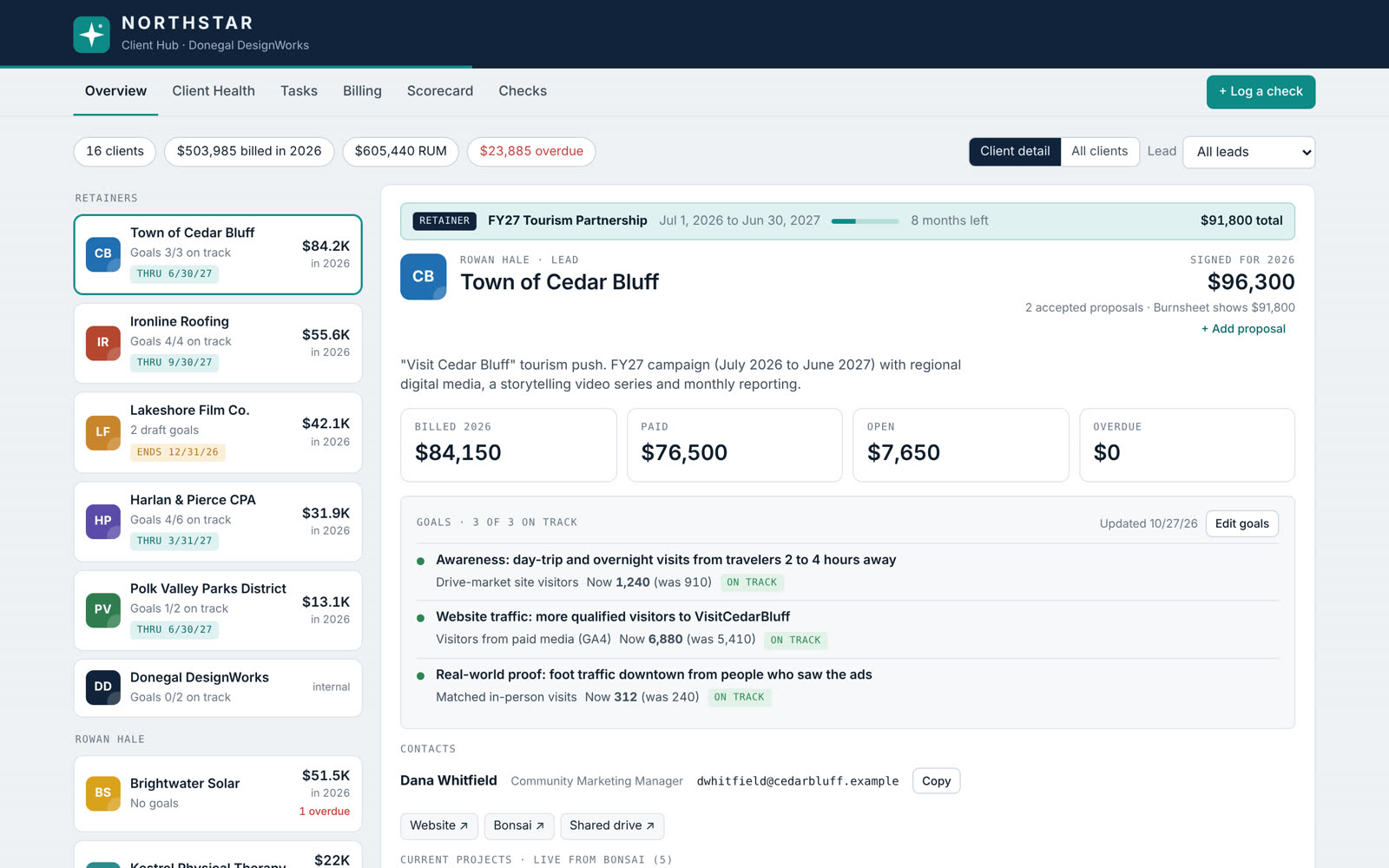
One screen for an agency's client services team: money, goals, monthly health checks, tasks and incoming checks, pulled together from the tools they already use.
Concept, workflow design, system architecture and build direction
Claude, Bonsai, Google Sheets, Gmail
Three account leads, plus bookkeeping and leadership views
In use by the client services team
The real hub belongs to the agency I work for. The demo and screenshots here are a rebuild with a fictional agency, clients and numbers. Same logic, new brand.
Switch who you're viewing as, log a check that doesn't match, or open the Demo panel to run the automations. Everything is fictional, and your changes stay in your browser.
The owner didn't have one place to see every client. Neither did the rest of us.
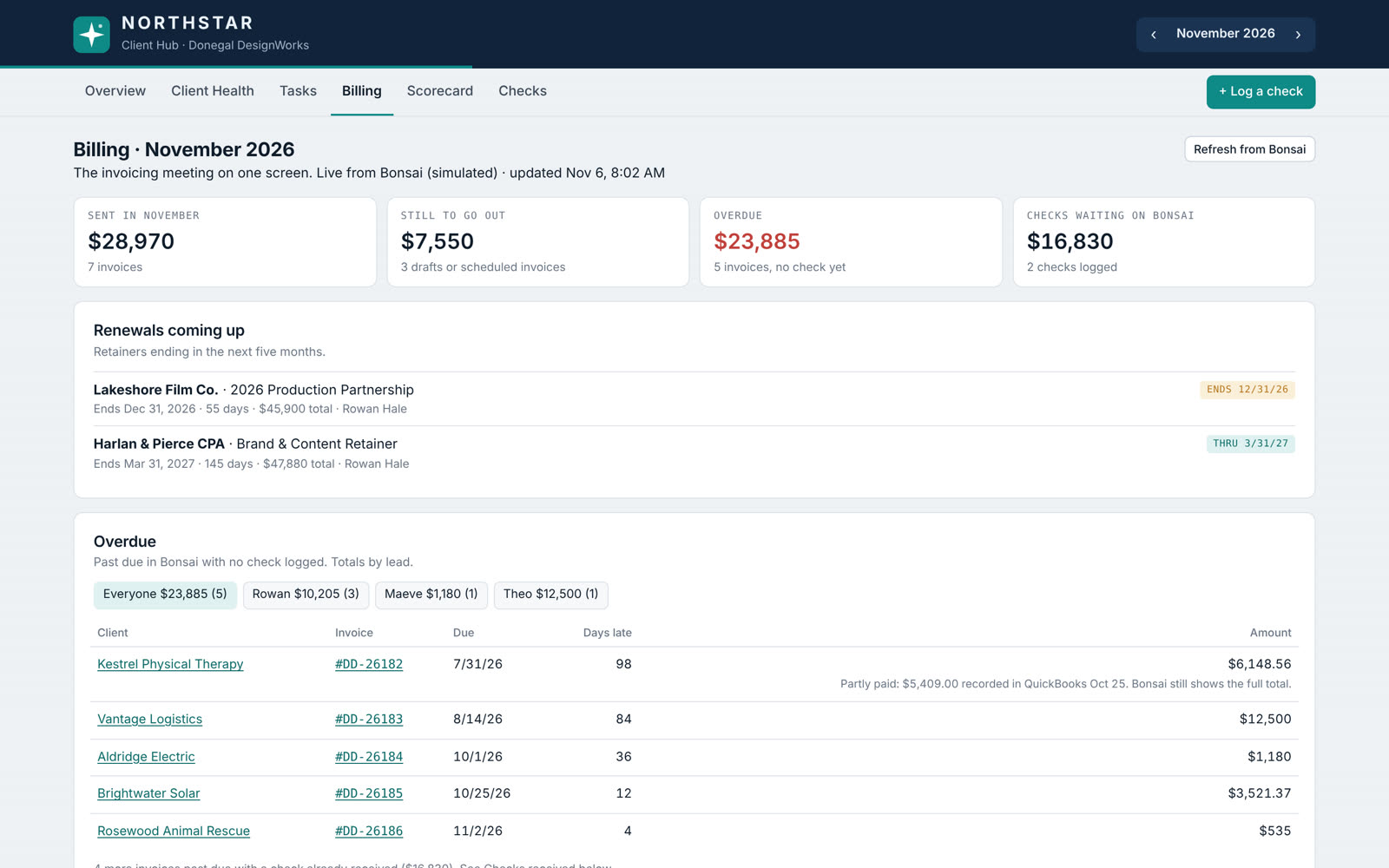
The team worked across a handful of tools: Bonsai for invoices and projects, a Google Sheet called the Burnsheet for revenue, proposals for retainer terms, and email and memory for everything else. Simple questions meant jumping between all of them. Is this client healthy? What's overdue, and is a check already on the way? Which retainers end soon? It was scattered, and it was frustrating.
I wanted one place that answered those questions for the owner and the team, without asking anyone to give up the tools that already worked.
The hub reads from the systems the team already trusts and keeps its own notes in its own database. It never edits the Burnsheet. The only thing it ever writes to Bonsai is a task someone creates on purpose.
Finance owns the Burnsheet and Bonsai is the system of record. The hub only reads them, so nobody had to trust a new tool with the books.
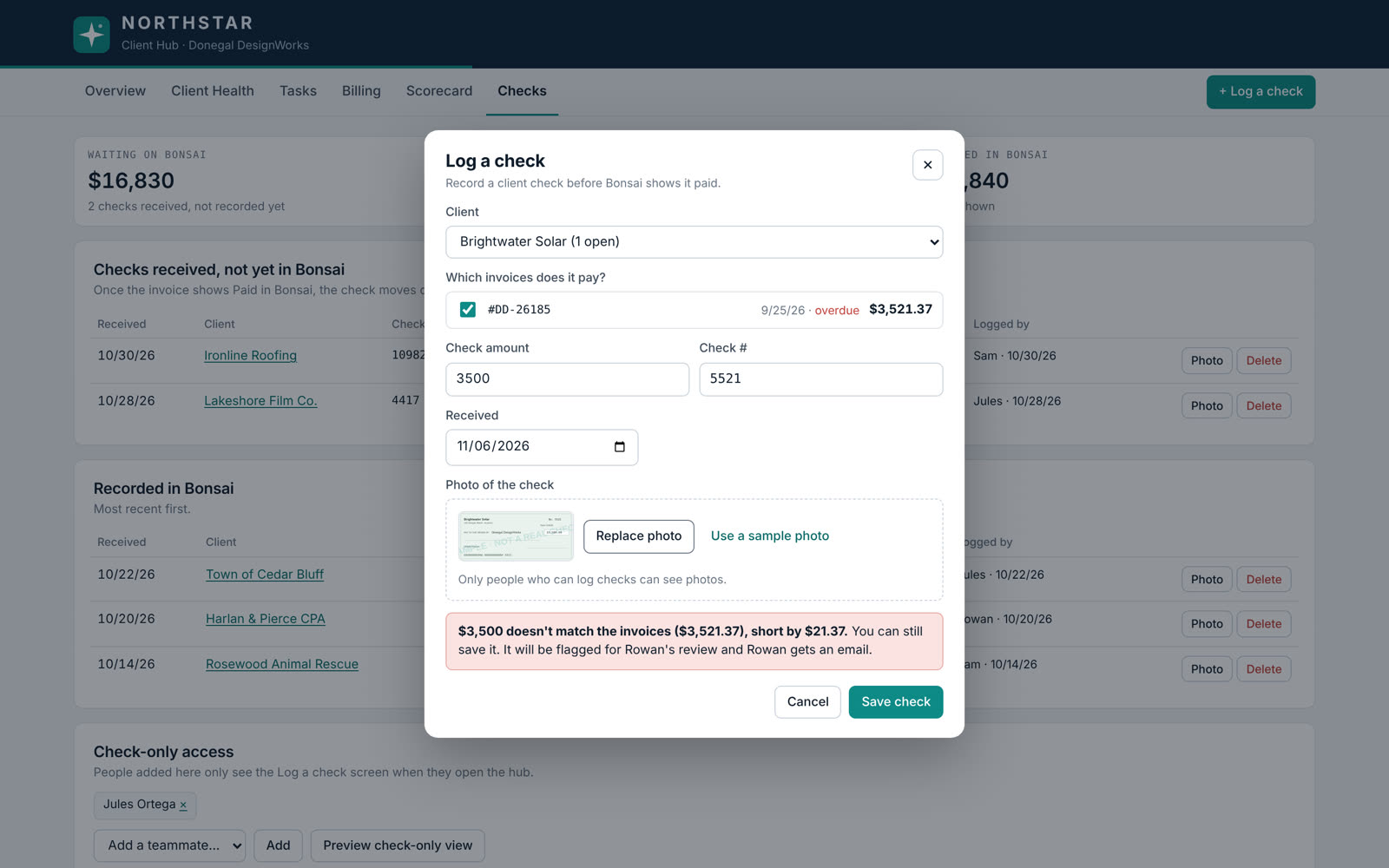
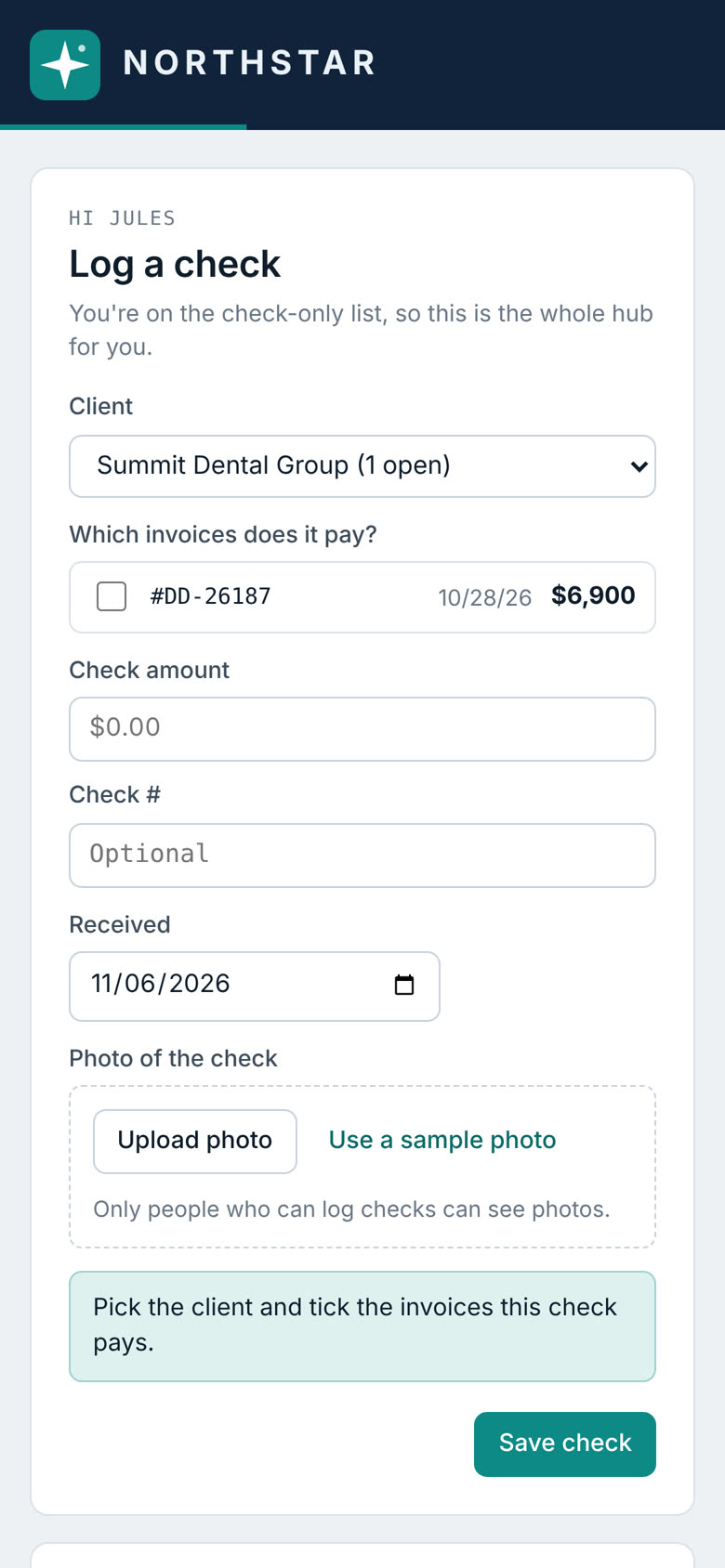
Leads can edit everything. A bookkeeper on the check-only list opens straight to a phone-friendly Log a check screen. Leadership sees Overview and Billing only. Check photos stay with people who log checks.
A check that doesn't match its invoices is flagged and the lead gets an email. A possible duplicate within 7 days gets a warning. Whoever logged a check can fix or undo it the same day.
Bonsai's connection can't see partial payments, so a partly paid invoice looks fully open. Instead of hiding that, a Data check panel lists it for editors, along with unmatched Burnsheet lines and missing renewals.
"Start from last month" copies last month's ratings and notes, so a lead only changes what moved. Reminders go out on the 1st and 10th.
The flows people use most, logging a check and reviewing a client, work as compact cards on a phone.
I owned the problem, the workflow and the rules: what each role should see, which systems the hub may touch, how a rating rolls up, when a check counts as recorded. Claude was my build partner for the code, inside a Claude artifact with scheduled tasks for the automations.
It went through many versions. I put early builds in front of the people who would use them, watched where they got stuck, and folded their feedback into the next round. Every change is written up in a how-it-works doc with a change log, so the team can trust it and someone else could maintain it.